Step by step
- 1
From Blender
The installer turns on the Insula3D add-on in each Blender version it finds. Select the objects in the 3D Viewport and choose ObjectOpen in Insula3D.
Send a selection from Blender in the user guide
- 2
Or open a model file
Drag the file onto the Insula3D window, or choose FileOpen… OBJ and 3DS files store no unit and no up axis, so Insula3D asks for both. Binary FBX brings its layers, groups and unit; glTF and GLB bring their node hierarchy, materials and textures.
glTF and GLB files with Draco or meshopt compression are not read.
Open a model file in the user guide
- 3
Attach the spreadsheet
In the Data panel, choose your
.xlsxfile and click Build to map its columns. One column joins the rows to the object names; others becomegml:id,gml:name, the parent building, the storey, the address or plain attributes.No spreadsheet yet? Template writes one with every object name filled in. Without a spreadsheet, Insula3D converts the geometry alone.
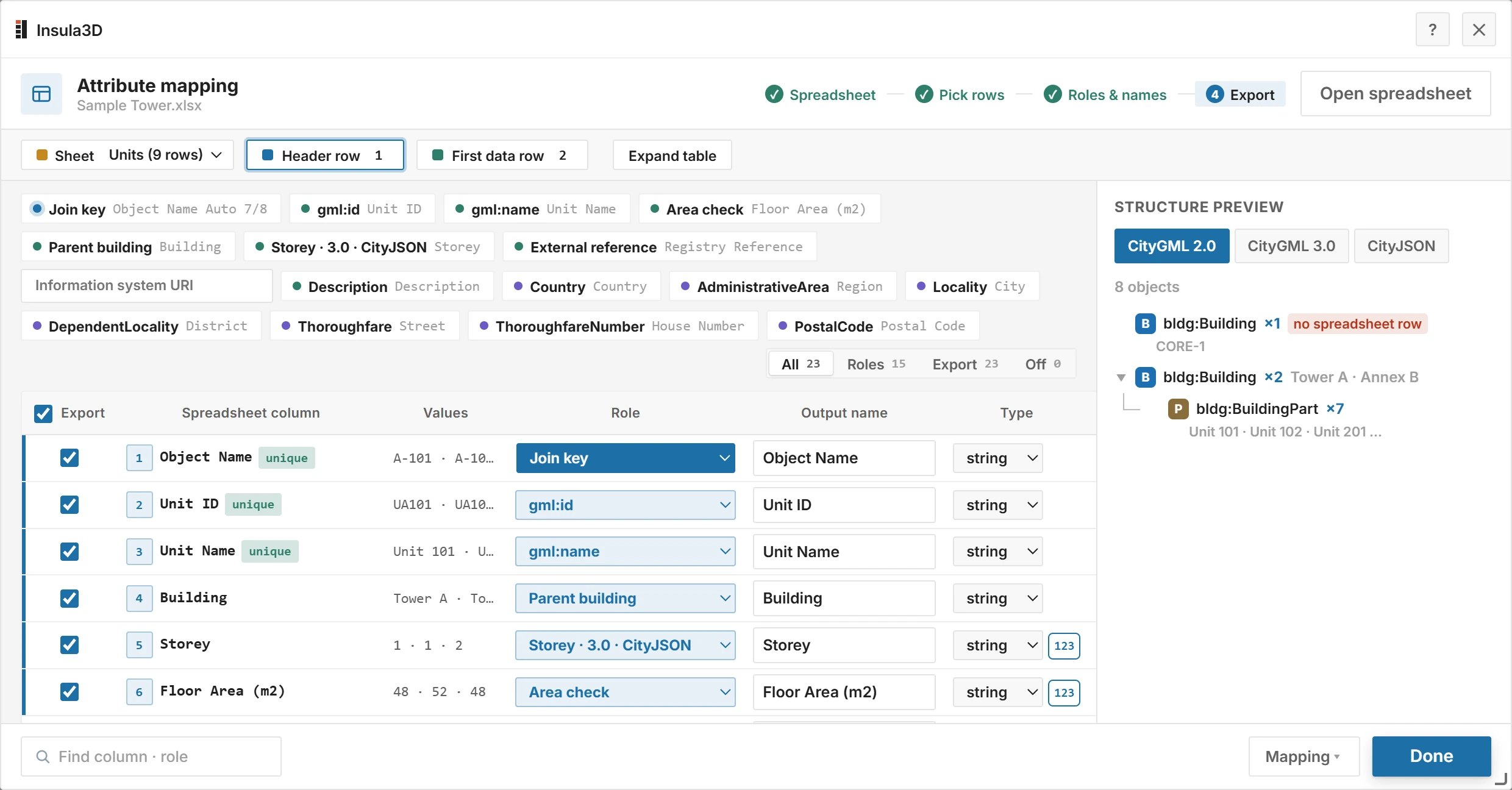
Each column gets a role. Structure preview shows the CityGML tree before you convert. Map the spreadsheet columns in the user guide
- 4
Set up each layer
In the Layers panel, choose for each layer what its objects become: Surfaces or Solid, the LOD, and the CityGML class and type, such as Building or BuildingPart. Turn on Area check vs sheet where the spreadsheet holds areas.
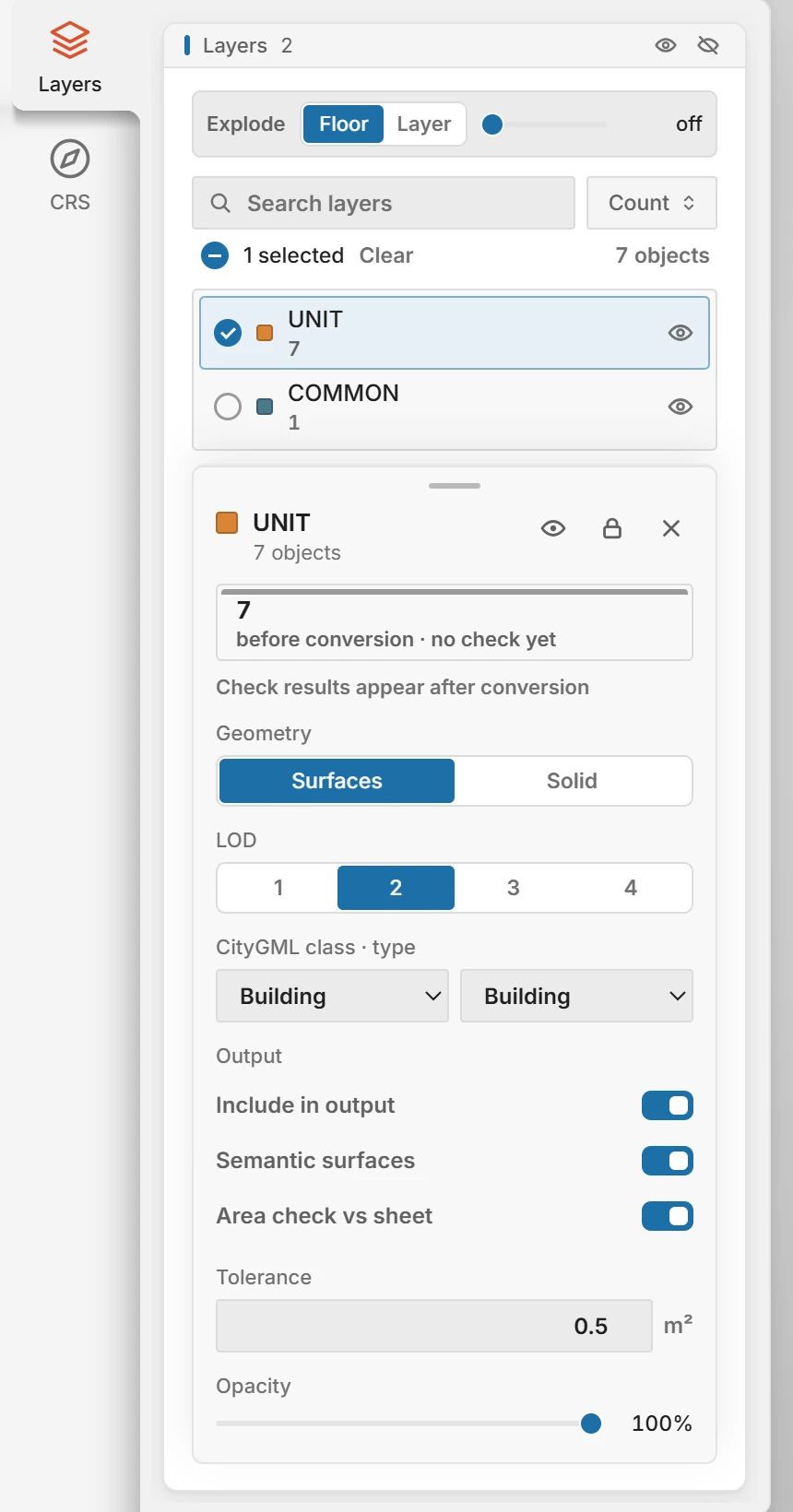
One layer's settings: geometry, LOD, CityGML class and the area check. Set up layers in the user guide
- 5
Set the coordinate system
In the CRS panel, choose the coordinate system your coordinates are in. A model built near the origin can be placed on the map instead, by place name, pasted coordinates or dragging.
Set the coordinate system in the user guide
- 6
Convert
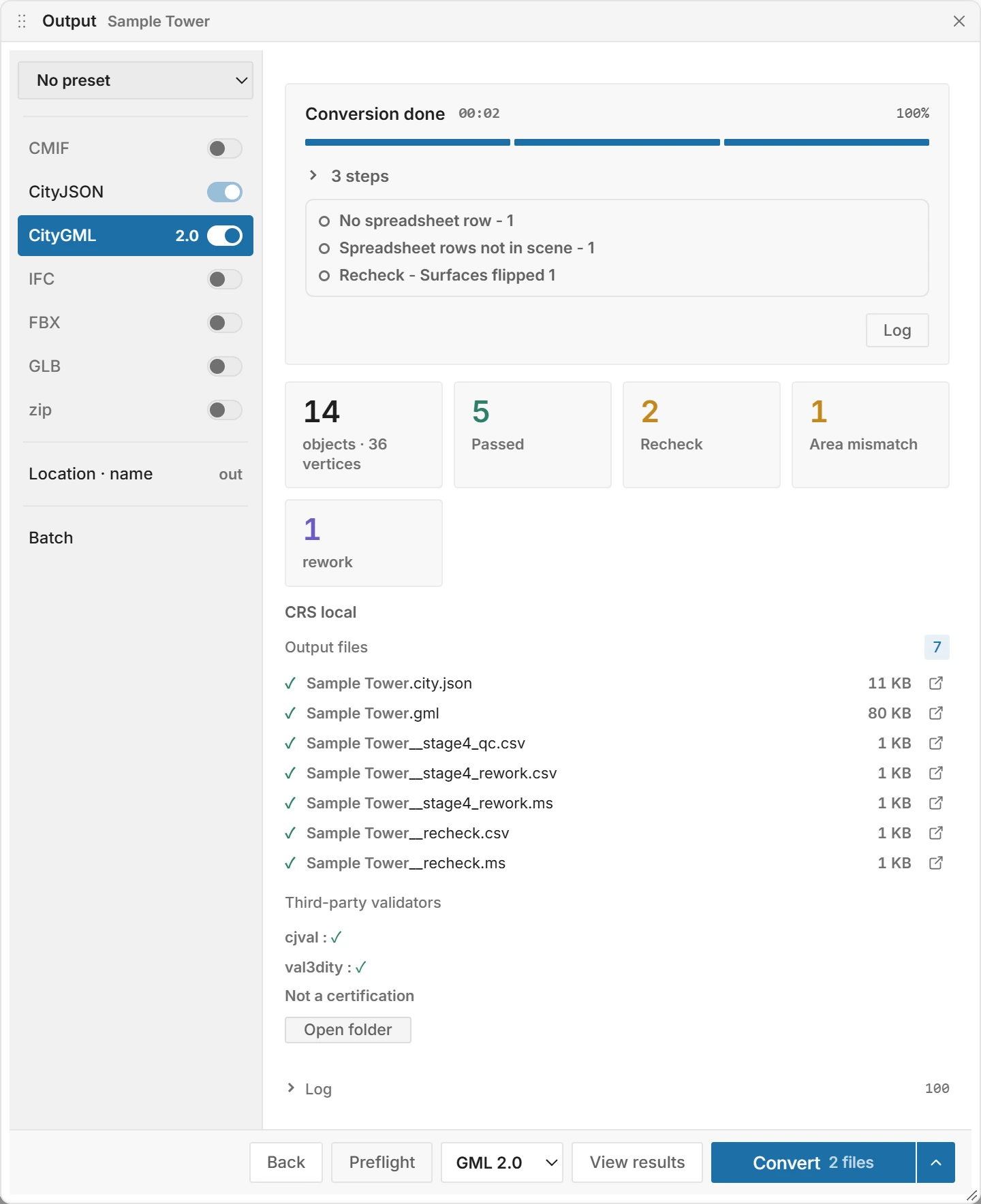
In the Output window, turn on CityGML and choose 2.0, 3.0 or Both. CityJSON is always written, and IFC, GLB and FBX are there when you need them. Click Preflight to check the inputs, then Convert.
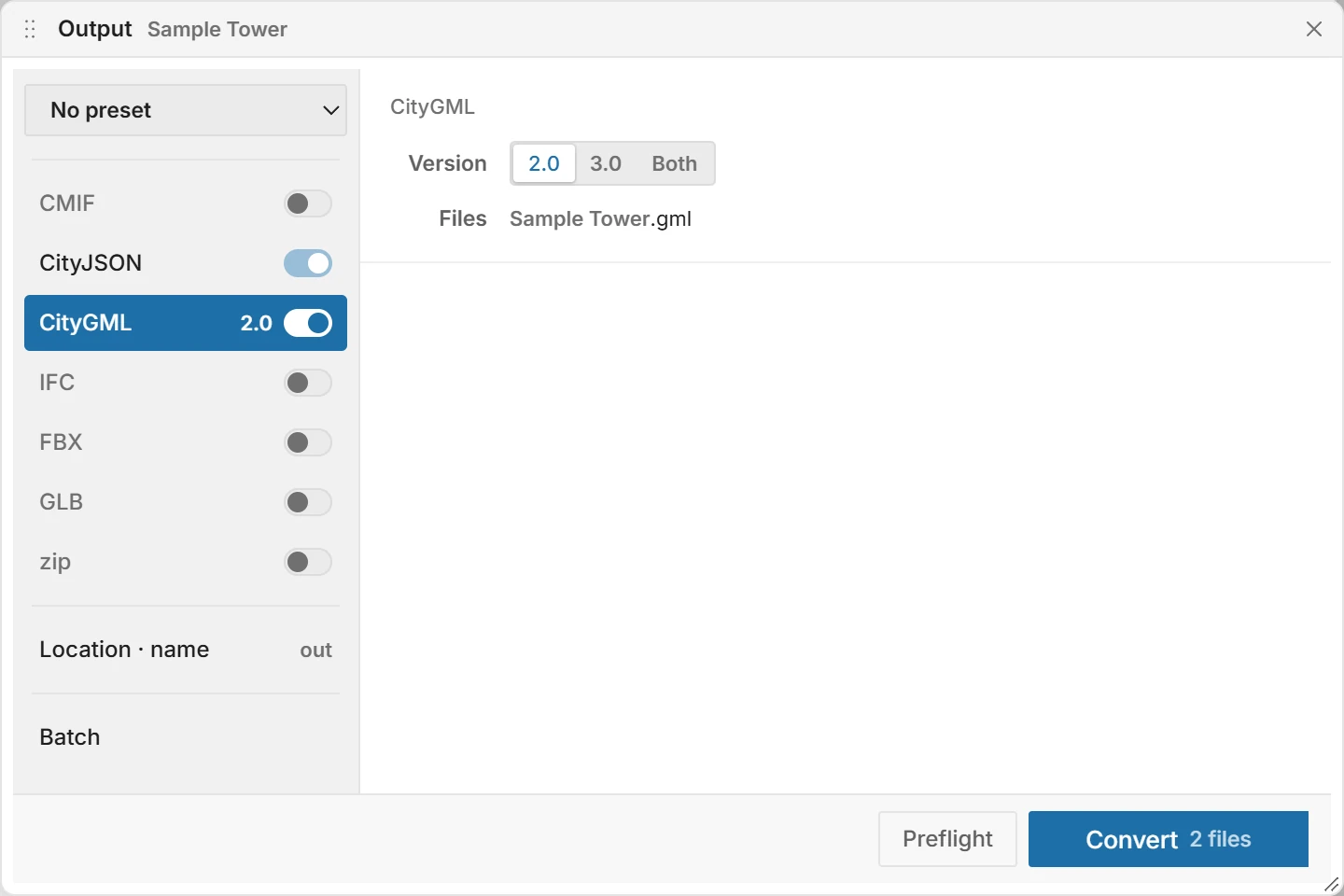
CityGML 2.0 turned on. CityJSON is always written. Preflight and convert in the user guide
What becomes what
| What Insula3D reads | From |
|---|---|
| Objects and materials, with collections as layers | Blender, through the add-on |
Objects and materials from the .mtl file, with textures | OBJ |
| Objects and materials | 3DS |
| Objects, layers, groups and materials, with the unit | Binary FBX |
| Meshes, the node hierarchy, materials and textures | glTF and GLB |
What gets checked
- Schema
- CityGML 2.0 and 3.0 against the official XSD schemas, during the conversion.
- Reading back
- Each written file is read again: surfaces that do not close, flipped surfaces, holes outside their face.
- Spreadsheet join
- Objects with no spreadsheet row, rows with no object, duplicate IDs and values that are not numbers or dates.
- Area
- Where you turn it on, the area of each object against the spreadsheet, with a tolerance in m².
- Validators
- After the run, val3dity and cjval check the CityJSON in the background.
Insula3D converts the model as it is and reports what it finds. It does not quietly fix or drop objects, and a check that did not run never shows as a pass.
Fix and convert again
Open the result with View results and click Scan: the flagged objects light up one by one, and Copy name copies the selected object's name so you can find it in your modeling program.
Fix the model or the spreadsheet, open it again and convert. The new result shows what is left.
Questions
Does Insula3D need Blender to read OBJ or FBX?
No. Insula3D reads OBJ, 3DS, binary FBX, glTF and GLB on its own, with neither Blender nor 3ds Max installed.
Can I write IFC from these files too?
Yes, IFC4 or IFC2x3, for reference, coordination and review. IFC is not written from a 3DS source, because 3DS keeps coordinates at single precision.
Do I need an internet connection?
No. Converting, checking and the diagnosis run on your PC. Only the basemap, place search and context buildings use the network.
Will my textures and colors carry over?
Yes, as CityGML and CityJSON appearance, where a layer keeps its surfaces. A layer written as Solid is rebuilt from its footprint, and Insula3D counts the textures it could not carry.
Can I try it before buying?
Yes. The 30-day trial unlocks everything, and files made with it are marked as trial output.