Check the join
With a spreadsheet attached, the Join section at the bottom of the Data panel compares the object names in the scene with the join key column.
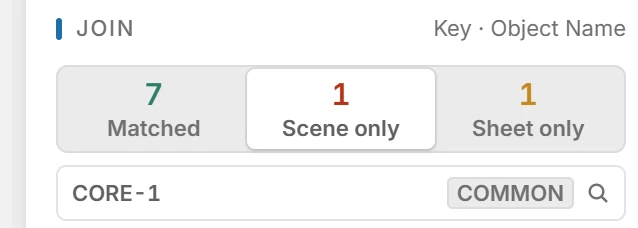
- Matched: objects with a spreadsheet row.
- Scene only: objects without a row. They are converted without attributes, each as a building of its own.
- Sheet only: rows whose name matches no object. Nothing is made for them.
Click a count to list those names. Click a name under Matched or Scene only to select the object in the 3D view.
Note:Insula3D does not pair names for you. Fix a mismatch in the model or in the spreadsheet, and the counts update.
Parent topic: Attributes