The Insula3D window
 Open full size
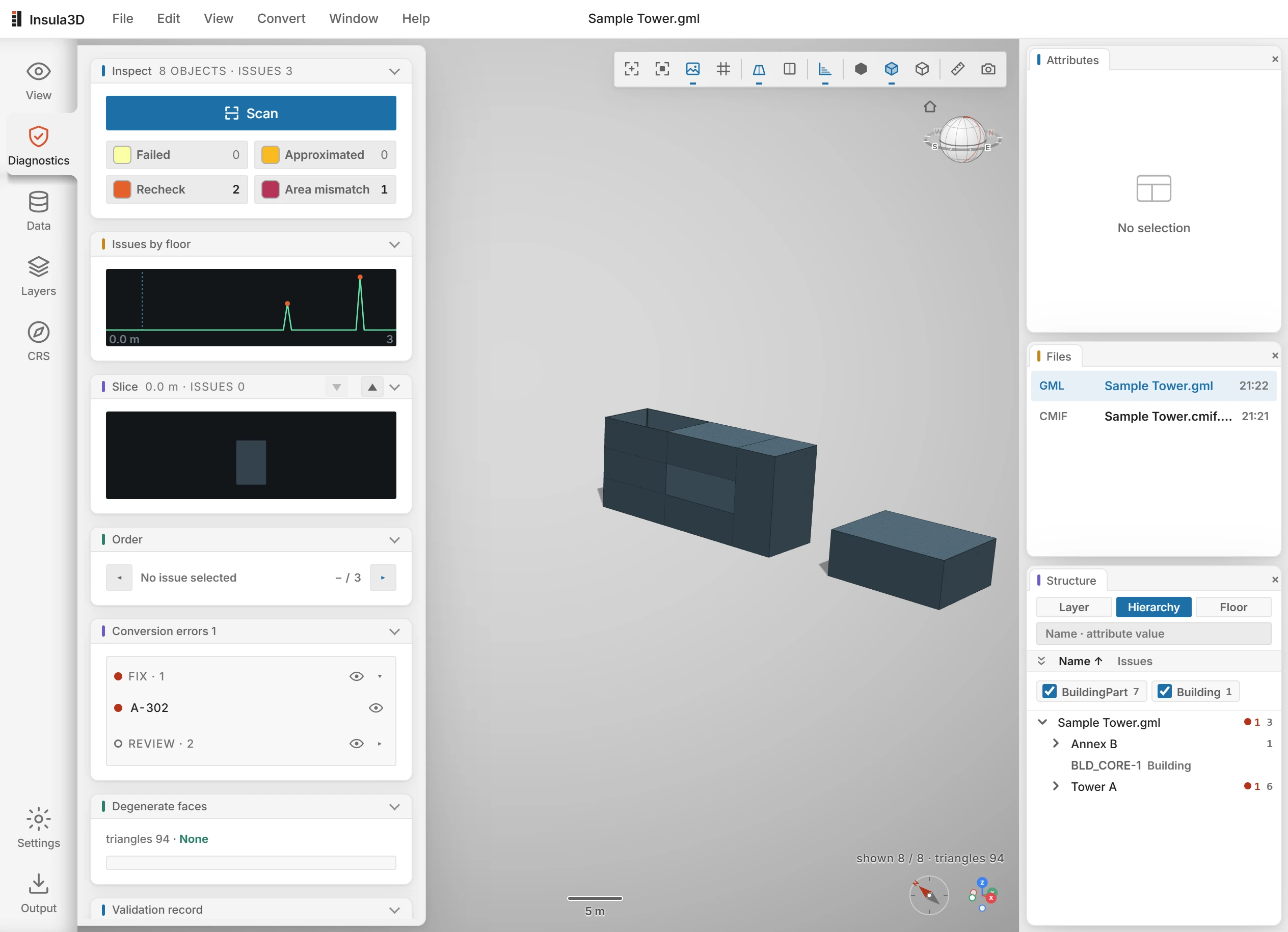
| Area | Where | What it is for |
|---|---|---|
| Menu bar | Top | File, Edit, View, Convert, Window and Help. The name of the open file is in the middle. |
| Icon rail | Left edge | Opens a panel: View, Diagnostics, Data, Layers or CRS. Settings and Output at the bottom open their windows. |
| Panel | Left | The panel you chose on the icon rail. |
| 3D view | Center | The model. The toolbar above it holds Reset, Frame, Texture, Grid, Measure, Capture and the display modes. |
| Attributes | Right, top | The values of the selected object. |
| Files | Right, middle | The files you opened in this session. |
| Structure | Right, bottom | The objects by Layer, Hierarchy or Floor, with the number of issues in each. |
The View panel and the buttons above the 3D view are described in Look at the model.
Parent topic: Getting started